Emergency Notification System (ENS)
The University of Regina Emergency Notification System (ENS) is designed to deliver effective and timely warnings to students, faculty, staff, and visitors on our campuses where immediate action must take place in order to stay safe in the event of an emergency.
The ENS leverages existing systems, such as computer monitors and television screens, across the main and College Avenue campuses.
The ENS is not linked to the Fire Alarm System and will not activate when the fire alarm sounds.
REPORT AN EMERGENCY (24 HRS A DAY)
POLICE--FIRE--AMBULANCE
9-1-1
PROTECTIVE SERVICES
306-585-4999
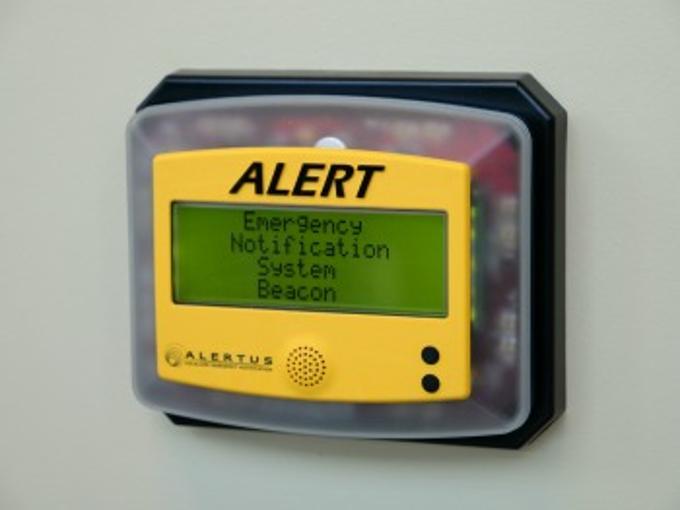
Alertus Wall Beacon
Alertus Wall Beacon
- Look for wall beacons like this for emergency messaging. Beacons are installed on walls in common areas, classrooms, dormitories and other spaces on campus.
Emergency Notification System (ENS) Essentials
In an emergency, look for ENS messages in the following locations:
- On wall-mounted beacons located in common areas, classrooms, dormitories and other occupant spaces on campus.
- On computers connected to the University of Regina system.
- On television screens in campus hallways.
- On personal computers that have been connected to the Alertus system (see How to Connect Alertus below).
In an emergency, a potential message may read:
Tornado warning issued for Regina.
Remain indoors.
Take shelter in interior rooms or stairwells without windows.
www.uregina.ca/emergency
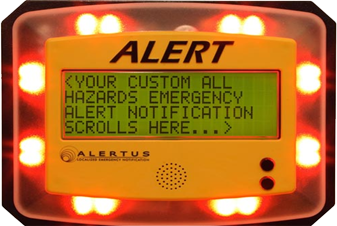
- Look for beacons like this one for emergency messaging.
- Beacons are installed on walls in common areas, classrooms, dormitories and other spaces on campus.
Faculty, staff, and students are encouraged to connect personal computers/laptops to this system to automatically receive urgent notification/warnings in the event of an emergency. Personal computers must be connected to either the University’s eduroam wireless network or the traditional wired network.
- To connect, please follow the download instructions.
- Wireless users will only receive notices when connected to the eduroam wireless system. Please see the instructions on how to connect to the eduroam wireless system.
Please call Health & Safety at 306-337-2370 or email health.safety@uregina.ca.